Azure Onboarding Guide
Step-by-step instructions for connecting your Azure subscriptions to Park Your Cloud using a PYC service principal and Management Groups. Choose your method below.
Navigate to Accounts and Start Azure Onboarding
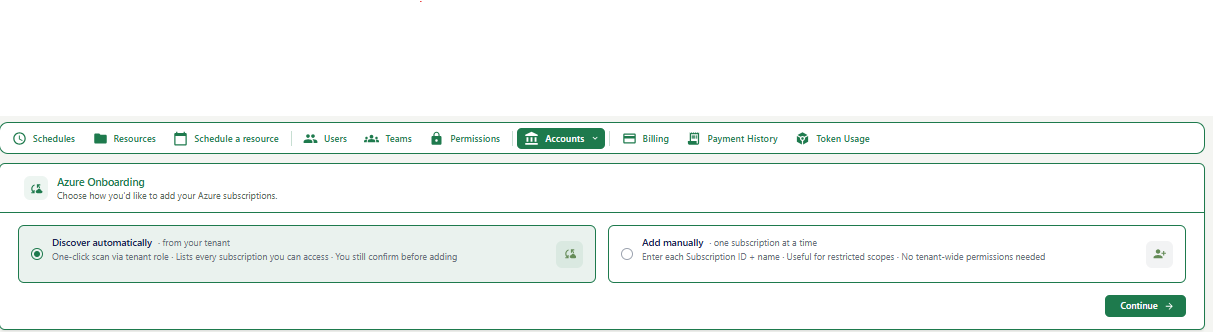
Where you are: The Azure Onboarding screen.
How to get here: Click Accounts in the top navigation bar, then select Azure from the dropdown.
| Option | When to use it |
|---|---|
| Discover automatically | You have an Azure tenant with a Management Group set up. PYC will scan all subscriptions linked to your tenant automatically. Best for most users. |
| Add manually | You want to add one subscription at a time, or you do not have tenant-wide permissions. |
Enter Your Azure Tenant ID (Step 1 of 4)
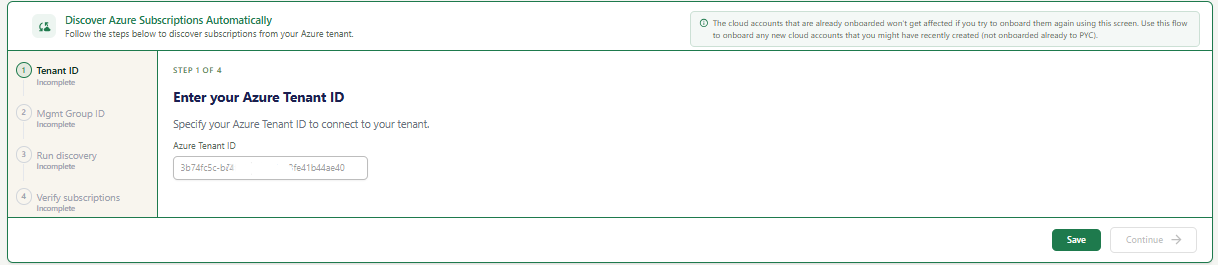
A 4-step wizard on the left sidebar. You are on Step 1: Tenant ID.
If you have already onboarded some Azure subscriptions before, this flow will not affect them. It only adds new subscriptions not yet onboarded to PYC.
| Field | What to enter | Example |
|---|---|---|
| Azure Tenant ID | Your Azure Active Directory Tenant ID. This is a unique identifier (UUID format) for your Azure organization. | xxxxxxxx-xxxx-xxxx-xxxx-xxxxxxxxxxxx |
To find your Tenant ID: Go to Azure Portal > Azure Active Directory > Overview. Your Tenant ID is displayed on that page.
Enter Your Management Group ID (Step 2 of 4)
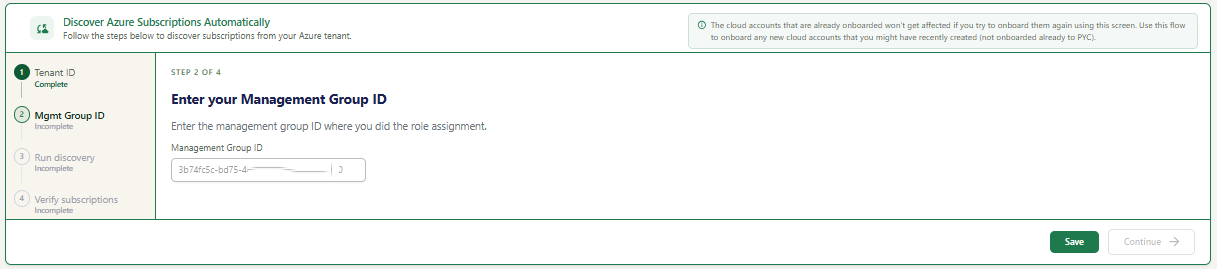
Step 2 of the wizard asking for your Azure Management Group ID.
| Field | What to enter | Example |
|---|---|---|
| Management Group ID | The ID of the Azure Management Group where you performed the role assignment for PYC. This is typically your root Management Group ID. | xxxxxxxx-xxxx-xxxx-xxxx-xxxxxxxxxxxx |
To find your Management Group ID: Go to Azure Portal > Management Groups. Click on your root management group and copy the ID shown.
Run the Discovery Script (Step 3 of 4)
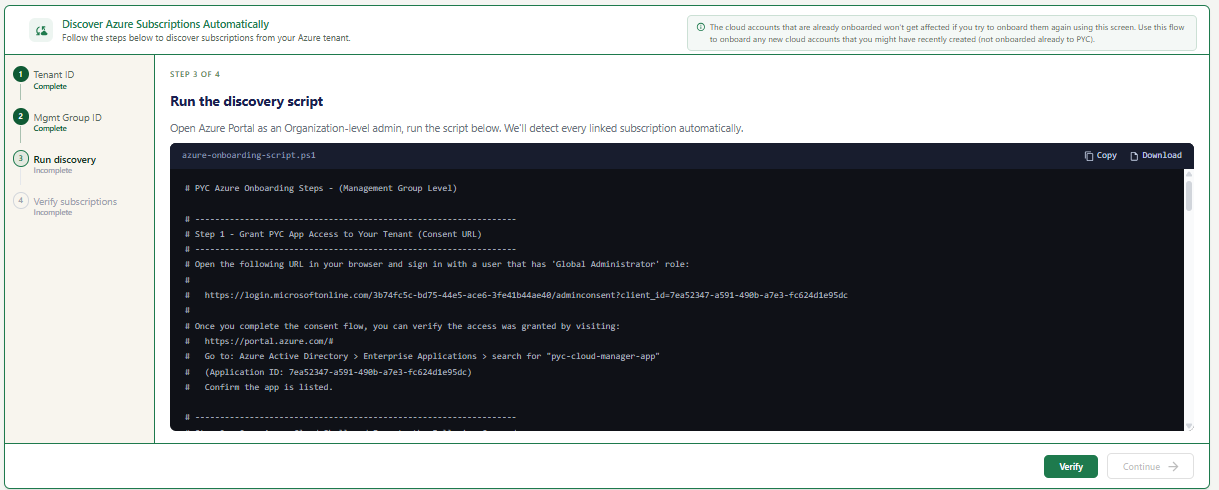
A PowerShell script file (azure-onboarding-script.ps1) is displayed on screen. This script assigns the necessary role to the PYC service principal across all subscriptions in your tenant.
This script grants the PYC service principal (pyc-cloud-manager-app) the Reader role across your Management Group, allowing PYC to discover all linked subscriptions automatically.
You must be an Organization-level admin (Global Administrator or equivalent) in your Azure tenant to run this script successfully.
Verify Subscriptions (Step 4 of 4)
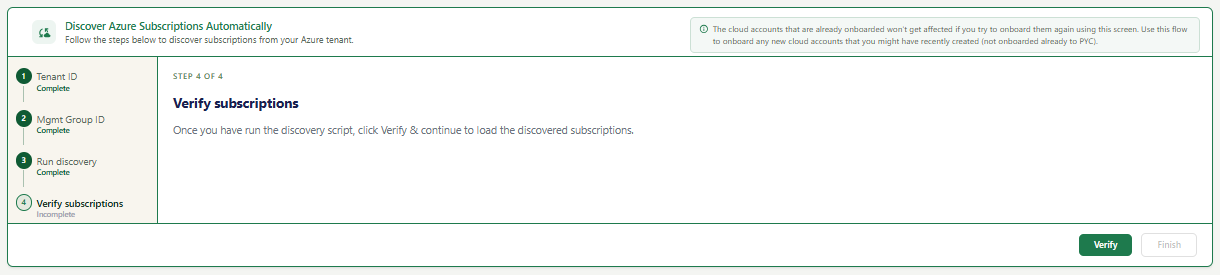
All 4 steps on the left sidebar are marked Complete. This is the final step of the Azure auto-discovery wizard.
PYC will display all Azure subscriptions it discovered under your tenant. They will appear in your Accounts list and are ready for scheduling and resource management.